Stock Scout
Docs & FAQ · Low stock alerts with zero setup
How it works
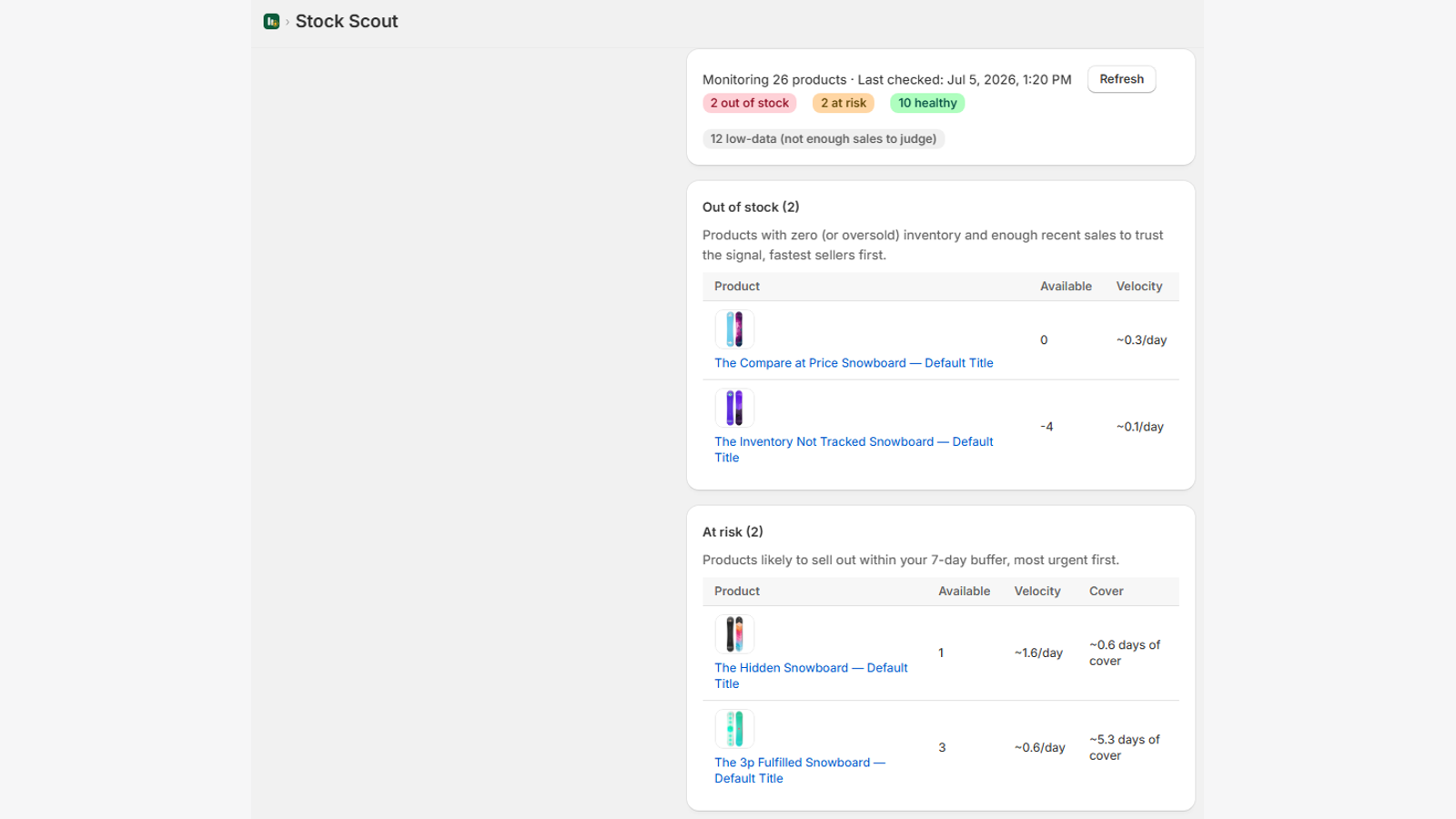
Install it, and you're done. Stock Scout reads your recent sales (last 30 days) to work out each product's daily sales velocity, then calculates how many days of cover your current inventory gives you. Anything projected to sell out within your buffer window (default: 7 days) appears in At risk. Anything that already sold out — and was actually selling — appears in Out of stock.
There are no thresholds to set per product. The thresholds are your sales data.
FAQ
Why isn't a product with low inventory showing as "at risk"?
Two honest reasons it can happen:
- It sells slowly. 2 units left of something selling 0.2/day is ~10 days of cover — not urgent yet. A static "2 left!" alert would be noise; we alert on time-to-stockout instead.
- Not enough sales data. Products with fewer than 3 units sold in the last 30 days show under the "low-data" count instead of alerting — one stray sale isn't a trend, and we'd rather stay quiet than cry wolf.
Can I make alerts more (or less) sensitive?
Yes — the one setting we have. In Settings, change the buffer from 7 days to 3 (fewer, later alerts) or 14 (more, earlier alerts).
When do email digests arrive?
Once daily, only when something is actually out of stock or at risk. Fully stocked means no email — we don't send "all clear" noise.
What data does the app access?
Read-only access to products, inventory levels, and order line items (product + quantity only). We never access customer information — no names, emails, or addresses. Details in our Privacy Policy.
What happens when I uninstall?
Billing stops immediately (handled by Shopify), and all your store's data is deleted from our systems automatically.
Head to Contact Us and include your store name and a screenshot. We reply within one business day.